Fortinet upgrades
FortiUpgrade
Plan a Fortinet upgrade: recommended path, releases, known issues and vulnerabilities.
View source- Look up the official path
- Review issues together
- Track releases and vulnerabilities
The need
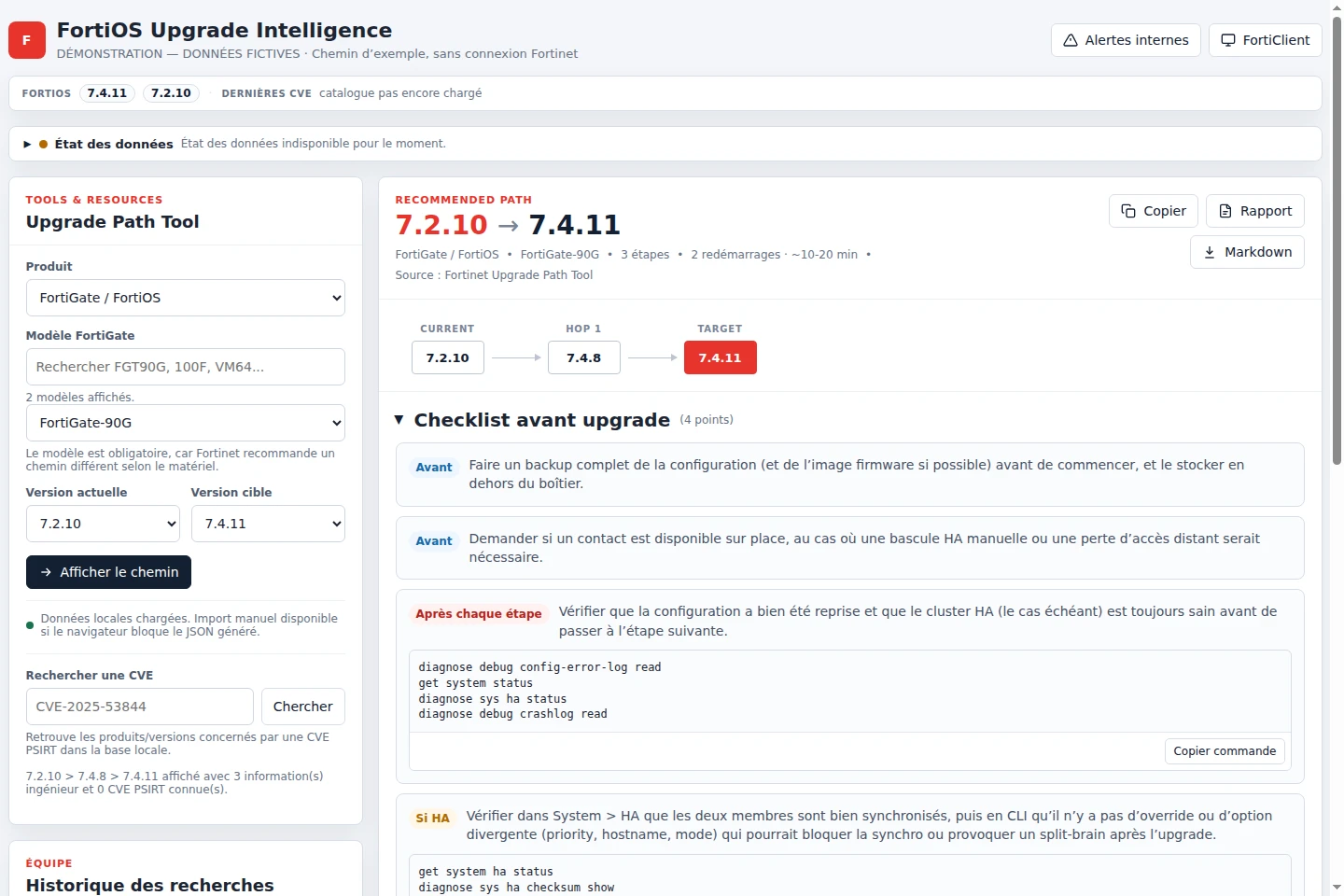
Before an upgrade, information is scattered across official paths, releases, known issues and vulnerabilities. I wanted to bring it together in one preparation workflow.
My role
I design the workflow around an operations engineer’s needs. I decide which information is useful, lead development and verify the application and its notifications.
The design
- Query Fortinet’s official upgrade path and indicate when information comes from cache.
- Bring releases and issues together around the upgrade steps.
- Keep the last known information when a data collection fails.
- Avoid duplicate vulnerability notifications.
- 01Choose the model
- 02Compare versions
- 03Review issues
- 04Prepare the change
What the tool delivers
One interface to prepare the operation, consult sources and follow relevant information. Catalogue updates and notifications complement individual upgrade-path lookups.
Scope & limitations
The information supports upgrade preparation. The path and relevant issues must be checked with Fortinet before the change.
Validation notes
The delivered release runs on the VPS with a healthy web service and an active scheduler. Its reference delivery validated 330 Python tests, 16 browser scenarios, the image build and local/public smoke tests. Paths remain operational guidance and must be revalidated against the official source.